
Vocabulary practice for Mac
A coffee break for your Mac. A few words for you.
Put the gap between tasks to use. Fika Lingo brings short vocabulary practice to your menu bar, with a full Mac window when you want room to focus.
Get Fika Lingo for Mac Try a word-matching sample first
Vocabulary review in the Mac app
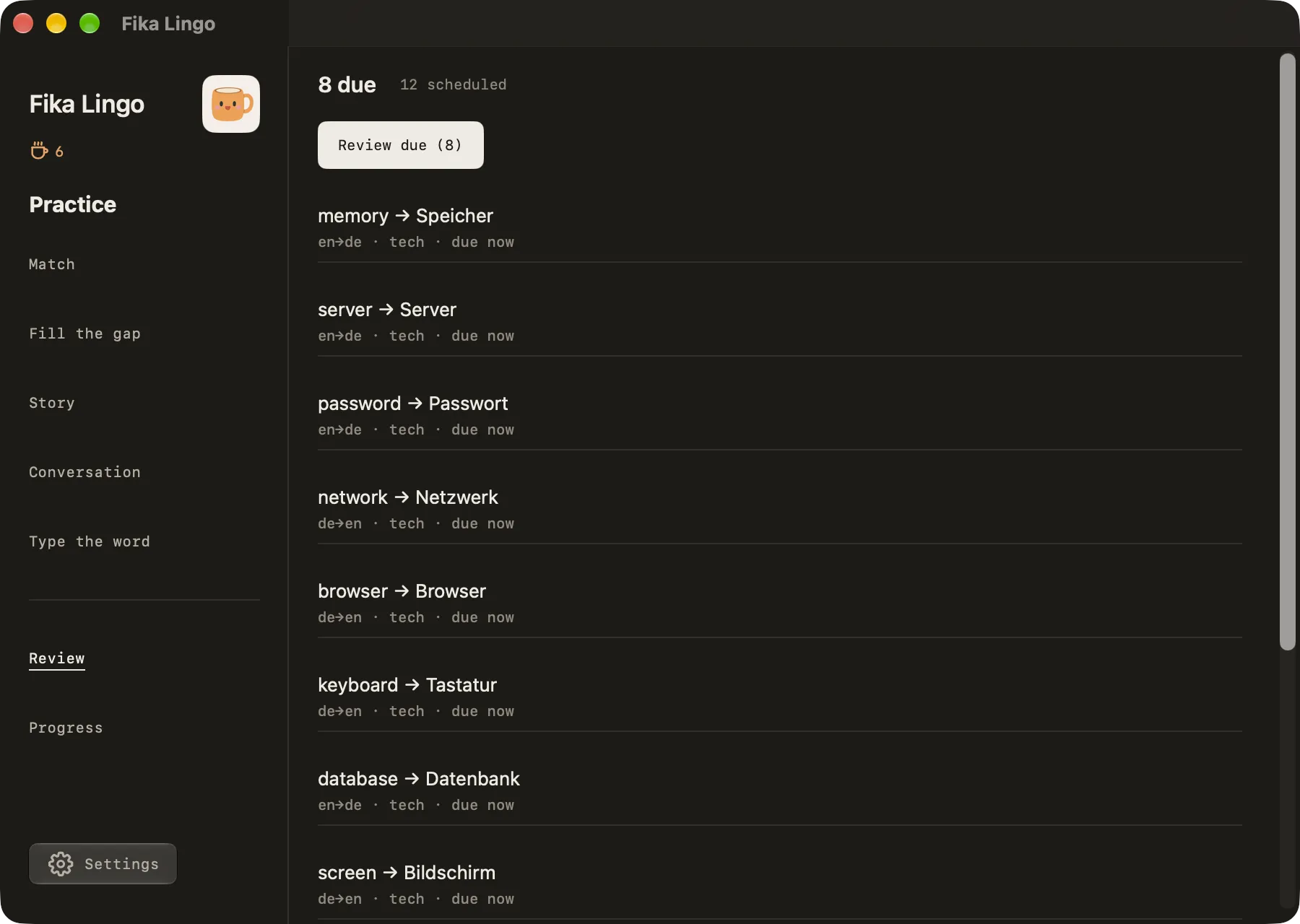
Spaced review happens in the main window, not in the menu-bar panel. Words you have practised come back when they are due. Review shows how many are due now and how many are scheduled, and you can start a round of due words from there.
Use the menu bar for quick rounds during the day, then open the main window when you have a few minutes for the words that are due.
Choose a language you’re already exploring
Practise English in either direction with Swedish, German, Spanish, French, Italian, Portuguese, Dutch, or Latin. Pick a topic that matters to you, and use vocabulary practice alongside your course, reading, or everyday conversations.
Fika Lingo is a vocabulary companion. It doesn’t replace a complete language course or a teacher, and its written conversation activities aren’t speaking or pronunciation assessment.
Try six words before you install
These free browser samples start immediately. Each uses the words and examples on its page.
For the full browser experience, open the free web app. Sample results and app progress are separate.
Download from the Mac App Store
Fika Lingo for Mac is available on the Mac App Store, in the same listing as the iPhone and iPad app. The download is free. The Mac App Store installs updates, and the seven-day trial and the one-time lifetime unlock are handled there with your Apple Account.
No Fika account is required. Learning progress stays on your Mac and does not sync with your phone. Optional Cloud generation uses AI Coffee Beans purchased separately.
View on the Mac App StoreThe store shows the price for your country. How offline practice works
Frequently asked questions
What can I do from the menu bar?
The menu-bar panel offers Match, Fill the gap, and Type the word, and you can change your topic there. Review, Progress, Story, and Conversation are in the main window.
Does the Mac app work offline?
Yes, after setup. Language packs may need an initial download. After that, supported on-device practice works without a connection, depending on your Mac and language. Optional Cloud generation needs internet.
How much does Fika Lingo for Mac cost?
The download is free, with seven days to try it. After that, lifetime access is a one-time purchase: $8.99 on the US App Store, or the local price in your country. There is no subscription.
What are the system requirements?
macOS 26 or later on a Mac with Apple silicon. On-device generation depends on your Mac and the language you choose.